BarMaker - Creating/Scanning Q10.2.5
Publisher Description

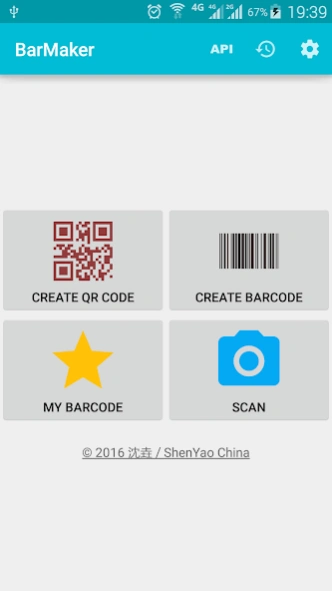


Can create QR / Barcode, or scan QR / Barcode via built in Camera or USB Camera
BarMaker is a convenient tool that help you create/scan QR Code or Barcode images. You can use it to create/scan QR Code from contacts, clipboard and text.
You can connect external USB Camera to scan barcode.
You can also push the result into PC after scanned and visit the Scanning Result from PC/Mac's browser. After you have created it, you can share the QR Code or Barcode image with you friends, or output to printer directly. Finally, you can make a widget from barcode and put it on desktop or lockscreen. It also supports scanning for white barcodes on black background.
BarMaker supports following formats:
QR Code
Code-39
Code-128
EAN-8
EAN-13
ITF
UPC-A
Codabar
PDF 417
Aztec
DataMatrix
About BarMaker - Creating/Scanning Q
The company that develops BarMaker - Creating/Scanning Q is 沈垚 / ShenYao China. The latest version released by its developer is 10.2.5. This app was rated by 1 users of our site and has an average rating of 4.0.
To install BarMaker - Creating/Scanning Q on your Android device, just click the green Continue To App button above to start the installation process. The app is listed on our website since 2026-08-03 and was downloaded 33 times. We have already checked if the download link is safe, however for your own protection we recommend that you scan the downloaded app with your antivirus. Your antivirus may detect the BarMaker - Creating/Scanning Q as malware as malware if the download link to com.shenyaocn.android.barmaker is broken.
How to install BarMaker - Creating/Scanning Q on your Android device:
- Click on the Continue To App button on our website. This will redirect you to Google Play.
- Once the BarMaker - Creating/Scanning Q is shown in the Google Play listing of your Android device, you can start its download and installation. Tap on the Install button located below the search bar and to the right of the app icon.
- A pop-up window with the permissions required by BarMaker - Creating/Scanning Q will be shown. Click on Accept to continue the process.
- BarMaker - Creating/Scanning Q will be downloaded onto your device, displaying a progress. Once the download completes, the installation will start and you'll get a notification after the installation is finished.
Program Details
System requirements
Download information
Pricing
Version History
version 10.2.5
posted on 2026-08-03
* Some UVC devices may containing multiple cameras now can be accessed correctly, e.g. Windows Hello Camera and IR Camera
* Supports 'Geek szitman supercamera' (ID 2ce3:3828) devices, which are commonly used in USB endoscopes. and now you can use them with this App
version 10.1.4
posted on 2025-08-07
* Supports 'Geek szitman supercamera' (ID 2ce3:3828) devices, which are commonly used in USB endoscopes. and now you can use them with this App
version 10.1.3
posted on 2025-07-05
* History list can be exported to excel file
* Will use suitable resolution when use external USB Camera as scanner
* Fix some error on UVC driver
version 9.9.9
posted on 2023-05-14
* Will use suitable resolution when use external USB Camera as scanner
* Fix some error on UVC driver
version 9.9.8
posted on 2022-11-28
* Optimize picture saving
* Remove storage permission on Android 10 and above
* Will use suitable resolution when use external USB Camera as scanner
* Fix ANR error on some devices
version 9.9.5
posted on 2022-05-05
* Optimize picture saving
* Remove storage permission on Android 10 and above
* Will use suitable resolution when use external USB Camera as scanner
* Fix some issues when rotating screen
version 9.9.2
posted on 2021-07-15
* Optimize picture saving
* Remove storage permission on Android 10 and above
* Will use suitable resolution when use external USB Camera as scanner
version 9.8.7
posted on 2021-01-20
* Supports create barcode with translucent background
* Fix unable decode some qr code
* Fix some issues about USB Video driver
version 9.8.5
posted on 2020-12-11
* Supports scanning barcodes via an external USB Camera
^ Supports android shortcut
* Supports screen rotation
version 9.7
posted on 2020-02-23
* Supports scanning barcodes via an external USB Camera
* Supports screen rotation
